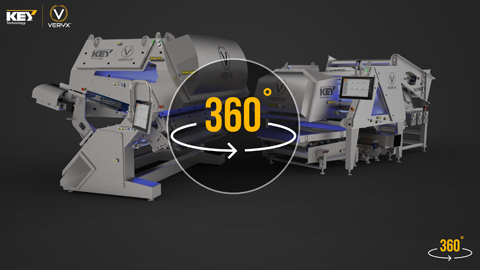
















VERYX® transforms digital sorting with a modular platform of chute-fed and belt-fed sorters to meet your unique and specific needs.
Key Technology’s belt-fed and chute-fed VERYX® sorters utilize cutting edge food technology, such as Pixel Fusion, which uses a high-resolution camera and laser sensors to view food product at the exact same time and place. This fusion of technology allows for a unique digital signature that is accurate and effective. Pixel Fusion distinguishes the products characteristics to a level that typical sorters and food processing equipment cannot.
Our VERYX sorters utilize technology in equally efficient ways, allowing it to reach peak performance with minimal operator supervision and carry out extensive information analytics.
Explore VERYX from every angle with our interactive 360-degree product demo.

Nicola Pizzoli
Vice President and CEO
Pizzoli S.p.A., Italy
"WE BELIEVE THAT CHOOSING KEY TECHNOLOGY WILL ENABLE US TO FURTHER GROW OUR BUSINESS IN A SUSTAINABLE WAY AND TO CONTINUE DELIVERING TOP-QUALITY PRODUCTS PERFECTLY PROCESSED TO OUR CUSTOMERS’ SPECIFICATIONS."
Key Technology is a leading global food processing machinery manufacturer. Applying unmatched processing knowledge and application expertise, Key helps customers worldwide improve quality, increase yield and reduce cost. With over 70 years of experience as a food machinery supplier, we serve dozens of industries including fruit, vegetable, nuts, potato, candy, snacks and more.
Unlike other food processing machinery suppliers, Key Technology offers sorting, conveying and other processing equipment, meaning you benefit from a seamlessly integrated, customized solution from ONE source.
At Key, we are more than just a food technology company or a sorting machine manufacturer. We are a proactive partner, committed to creating genuine, long-lasting relationships with our customers. We listen carefully to understand your challenges and through continuous collaboration deliver solutions that create real impact and ROI for your business.